TL;DRThe ChatGPT Enterprise License is designed for large teams with security and administration requirements.
A ChatGPT Enterprise License isn't meant for occasional text ideas. It's worthwhile if a company wants to centrally manage access, control company knowledge, and curb shadow IT.
In my opinion, Enterprise is often requested too early. For a team of 20 people, ChatGPT Business is usually the more sensible start. Enterprise is more suitable when IT, data protection, and departments need to jointly establish rules for AI use.
These three criteria are decisive
- Size: Market reports suggest about 150 seats as the minimum for Enterprise contracts.
- Governance: SAML-SSO, SCIM, and centralized access prevent employees from using private accounts for work data.
- Data: ChatGPT Enterprise data protection includes the promise of "no training" with business inputs.
If your data protection officer can't answer "Where do our inputs end up?", then the cheapest plan is too expensive.
If you're looking at costs, you have to separate Business from Enterprise. ChatGPT Business costs €21 per user per month with annual billing. With monthly billing, it's €26. ChatGPT Enterprise continues to be quoted individually.
ChatGPT Enterprise features, like longer context windows and enhanced administration, pay off in repeatable workflows. ChatGPT Enterprise for businesses is thus a procurement decision, not a spontaneous software order. The specific ChatGPT Enterprise License costs will be detailed in the following sections.
The different license models of ChatGPT Enterprise
The licensing question is simpler than many pricing slides suggest. What's crucial is, who manages and what data ends up in the workspace.
OpenAI differentiates between individual accounts, ChatGPT Business, and Enterprise. For teams, it's not just about features but responsibilities, access, and contractual rules.
- Individual accounts are suitable for personal tasks like drafts or research without shared company knowledge.
- ChatGPT Business targets small to medium teams and starts according to OpenAI with two users.
- ChatGPT Enterprise offers central administration, SAML-SSO, SCIM, and extended reporting for large organizations.
ChatGPT Enterprise is worthwhile for companies when IT no longer wants to manage access via Excel sheets. SCIM connects the identity system with ChatGPT. When someone leaves the company, user management revokes access instead of relying on a forgotten account.
Don't choose Enterprise for the longer feature list. Choose it when centralized management is a contractual and technical necessity.
A common misstep: The purchasing team orders Enterprise before departments specify concrete use cases. Then 150 licenses are ready, and the team only uses them for emails. First, check three points: required seats, existing identity system, and ChatGPT Enterprise features that can be used without special processes.
For a 20-person department, Business is often the better test. Enterprise should be considered when centralized access and regulated offboarding processes are non-negotiable.
Costs of the ChatGPT Enterprise License
ChatGPT Enterprise costs aren't publicly listed. OpenAI provides individual offers, usually with an annual contract and prepayment.
ChatGPT Business has a clear list price. With annual billing, the plan costs €21 per user per month. That equals €252 per user per year. With monthly billing, €26 per user per month apply.
- For 20 Business users, annual billing comes to €5,040 per year.
- For 150 Business users, annual billing comes to €37,800 per year.
- For Enterprise, there is no publicly stated list price in euros. The price is agreed individually.
For entry, calculate with 150 seats, $60 per month, and 12 months. That's $108,000 per year.
The Business calculations above cover the license costs only. Also plan time for procurement, SSO integration, role modeling, and internal training. Otherwise, you'll buy 150 accesses while the team continues using private accounts. That would be an expensive paperweight.
In my opinion, Enterprise is only worthwhile if the minimum quantity is actually used. If only 40 people need access, unused capacity eats up the budget. For ChatGPT Enterprise for companies, active users matter, not the size of the organizational chart.
Also, ChatGPT Enterprise data protection incurs indirect costs. Legal reviews, contract documents, and internal usage rules should come before signing, not in a panic phase afterward.
Features of the ChatGPT Enterprise License
The value isn't in the chat window. ChatGPT Enterprise offers you tools to strategically manage usage and knowledge within the company.
What teams actually use
- Upload documents and summarize lengthy content, like an 80-page PDF instead of ten pages of notes.
- Create custom GPTs for recurring tasks, like proposal drafts with fixed formulation rules.
- Integrate company sources via connector so responses are based on approved context rather than gut feeling.
- Centrally evaluate usage to make active teams and unused accesses visible.
- Manage access via SAML-SSO and SCIM instead of manually updating entries and exits.
The longer context window helps with more complex tasks. A project team can work on multiple documents, requirements, and comments in one conversation. However, this doesn't replace quality checks. Especially with contracts, figures, and legal statements, a human remains responsible.
Don't test features with toy prompts. Use a real process that consumes time every week.
This is where the ChatGPT Enterprise License separates from an expensive text generator. For example, let three salespeople prepare offers for four weeks. Compare processing time, corrections, and approvals. If inputs remain unstructured, even the best model only delivers faster chaos.
For sensitive content, Enterprise, according to OpenAI, promises: no training with business data. However, specific data protection obligations should be in the next review block, not swept under the rug.
Data Protection and GDPR Compliance with ChatGPT Enterprise
No training with business data is promised by OpenAI for ChatGPT Enterprise. This is relevant but not an automatic GDPR approval. Data protection is achieved through contract, configuration, and clean usage.
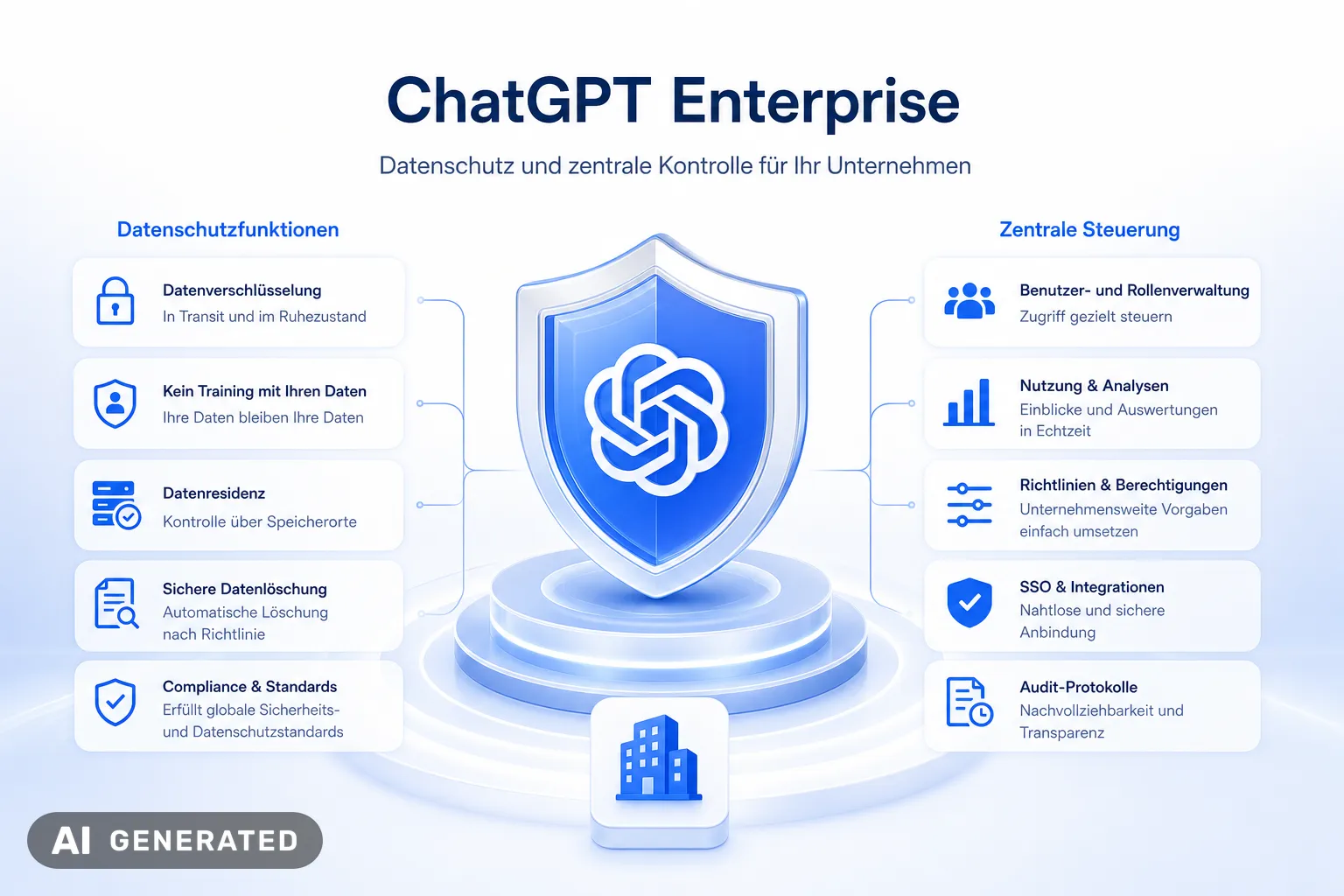
The ChatGPT Enterprise License gives IT teams centralized control capabilities. SAML-SSO manages access through the existing identity management. SCIM automatically removes accounts when employees leave the company. This is where many implementations fail because former colleagues still have access to internal chats.
These three points must be in place before rollout
- Conclude a data processing agreement and check the agreed data processing locations.
- Decide which data should never be entered into ChatGPT, such as personnel files or unverified customer data.
- Document roles, approvals, and deletion processes in the directory of processing activities.
Enterprise prevents training with inputs. It neither replaces a data protection impact assessment nor clear team guidelines.
A specific pitfall: A sales representative copies a customer email, including contacts, into the chat. Enterprise functions protect the workspace, but processing personal data still requires a legitimate purpose and internal approval.
I believe companies should conduct a test with anonymized offer data before experimenting. During this, check access, logging, and the model's responses. Only then should real customer data be integrated into the extended corporate context.
Suitability of the ChatGPT Enterprise license for businesses
ChatGPT Enterprise is ideal for companies wanting to use AI across multiple departments with clear access rules and recurring tasks. It's not suitable for merely experimenting with texts.
These four signals favor Enterprise
- Multiple teams use ChatGPT daily for offers, analyses, logs, or internal research.
- IT requires centralized access via SAML-SSO and SCIM instead of individual, privately managed accounts.
- Departments need an extended context window for contract files, policies, or extensive project documents.
- There are responsible parties maintaining their own GPTs, approvals, and input rules.
A practical example: In a company with 300 employees, sales, HR, and project management use AI daily. When 180 people regularly handle the same document types, a centralized Enterprise workspace makes sense. However, if only 25 colleagues occasionally use ChatGPT, you're mainly paying for empty seats. It's as charming as a server room for three Excel spreadsheets.
Enterprise is an organizational decision, not a license for particularly curious individuals.
Before making a request, check three points over four weeks: active users per team, recurring tasks, and required data sources. According to OpenAI, usage among Enterprise customers increased about sevenfold between June 2025 and March 2026. This shows: The benefit arises from established workflows, not a single good prompt.
In my opinion, companies should only switch to ChatGPT Enterprise when a team is responsible for its use. Otherwise, the extended package remains just an expensive chat window.
Alternative to ChatGPT Enterprise: innoGPT for a controlled AI rollout
If you need more than a chat window, innoGPT is worth a look. The platform brings together more than 50 AI models, company knowledge, and governance in a single workspace.
innoGPT is developed in Lower Saxony and hosted in Europe. The platform is GDPR-compliant and ISO 27001 certified. That creates a solid basis for sensitive company data.
The practical difference lies in the rollout. Instead of handing out licenses and hoping for self-organization, a dedicated team supports you with use cases, data integration, and training. According to the provider, premium support responds in under two hours.
This is particularly helpful for teams working with Microsoft 365, Google Drive, Slack, or GitHub. You can connect the relevant data sources and assign responsibilities cleanly. That way, AI doesn't become yet another shadow IT channel.
Honestly: not every company needs an Enterprise license right away. A clearly scoped pilot with real workflows shows faster whether the benefit holds up. innoGPT offers a 90-day pilot program with a dedicated AI expert for exactly that.
Integration of ChatGPT Enterprise into existing company systems
A ChatGPT Enterprise license only unfolds its benefits when actively integrated into the workflow. A browser icon alone doesn't change a process.
Integration begins with managing identities and data sources. Only then does ChatGPT come into play. Longer context windows are useless if the wrong files are accessible.
How to introduce ChatGPT Enterprise in a controlled manner
- Integrate identity management via SAML-SSO and SCIM.
- Choose a data source for the pilot, such as Microsoft 365, Google Drive, Slack, GitHub, Linear, or Figma.
- Test with various roles what content ChatGPT can actually retrieve in the Enterprise workspace.
A project team can combine open tasks from Linear and technical decisions from GitHub for sprint planning. IT initially connects both systems in a test workspace. Then, a developer with restricted access checks three real questions from the project routine.
Only when the answers are correct and no blocked content appears does the rollout for the rest of the team follow. It sounds simple, but many Enterprise projects fail precisely at this point.
Don't connect all systems at once. Start with one task, one data source, and clear access rights.
A common mistake is activated connectors without responsible parties. Later, no one knows why ChatGPT provided an incorrect or outdated answer. Therefore, assign a subject matter owner for each data source to check content, rights, and currency.
In my opinion, ChatGPT Enterprise fits well where existing systems are already maintained. Chaos in SharePoint doesn't become smarter through AI; it just gets found faster.
Frequently Asked Questions about the ChatGPT Enterprise License
Conclusion
A ChatGPT Enterprise license isn't a tool for spontaneous text ideas. It requires careful planning with contracts, access rules, and clear responsibility.
The crucial question isn't: “What functions do we get?” But: “Which recurring process do we control with it?” An approved offer draft or a knowledge query saves work. A chat without rules just produces text that needs checking faster.
Enterprise is only worthwhile when central management, traceable access, and real usage are more important than a cheap individual account.
Before signing, three points should be clear in the offer:
- Named accesses: SAML-SSO and SCIM must map entries, role changes, and departures.
- Data rules: Define which inputs are allowed and who documents the approvals.
- Measurable use: Start with a process, such as offer drafts, meeting minutes, or searching in shared company knowledge.
ChatGPT Enterprise suits companies that want to run AI centrally, not just try it out. For small teams without central governance, a smaller plan is usually more sensible.
No training with business data replaces an internal data policy. Only clear responsibilities turn Enterprise into a controlled workspace instead of an expensive browser tab.
A good model doesn't save a bad process. Only a clear task makes AI useful in the team.
For practice, I would start with a defined case. Take, for example, summarizing an 80-page PDF or searching in shared SharePoint knowledge.
Then check two things: Does the process really save work, and do the answers remain technically correct? Only then is it worth expanding to longer processes, additional functions, or more models.
Many projects don't fail because of ChatGPT. They fail because no one defines who checks content and who manages access.
You might also be interested in
- ChatGPT and data protection in Germany
- Is ChatGPT GDPR-compliant?
- Secure AI for Businesses
- GDPR-compliant AI for Businesses
Sources
About the author

Tim Geier
Tim & AIHe is a trained media manager working hands-on with AI: Tim helps companies roll out AI securely and GDPR-compliantly, turning complex AI topics into clear, actionable steps.
This article was written by Tim together with AI.
Weekly AI news in your inbox
New models, practical tips & expert insights — free for everyone.
Related articles
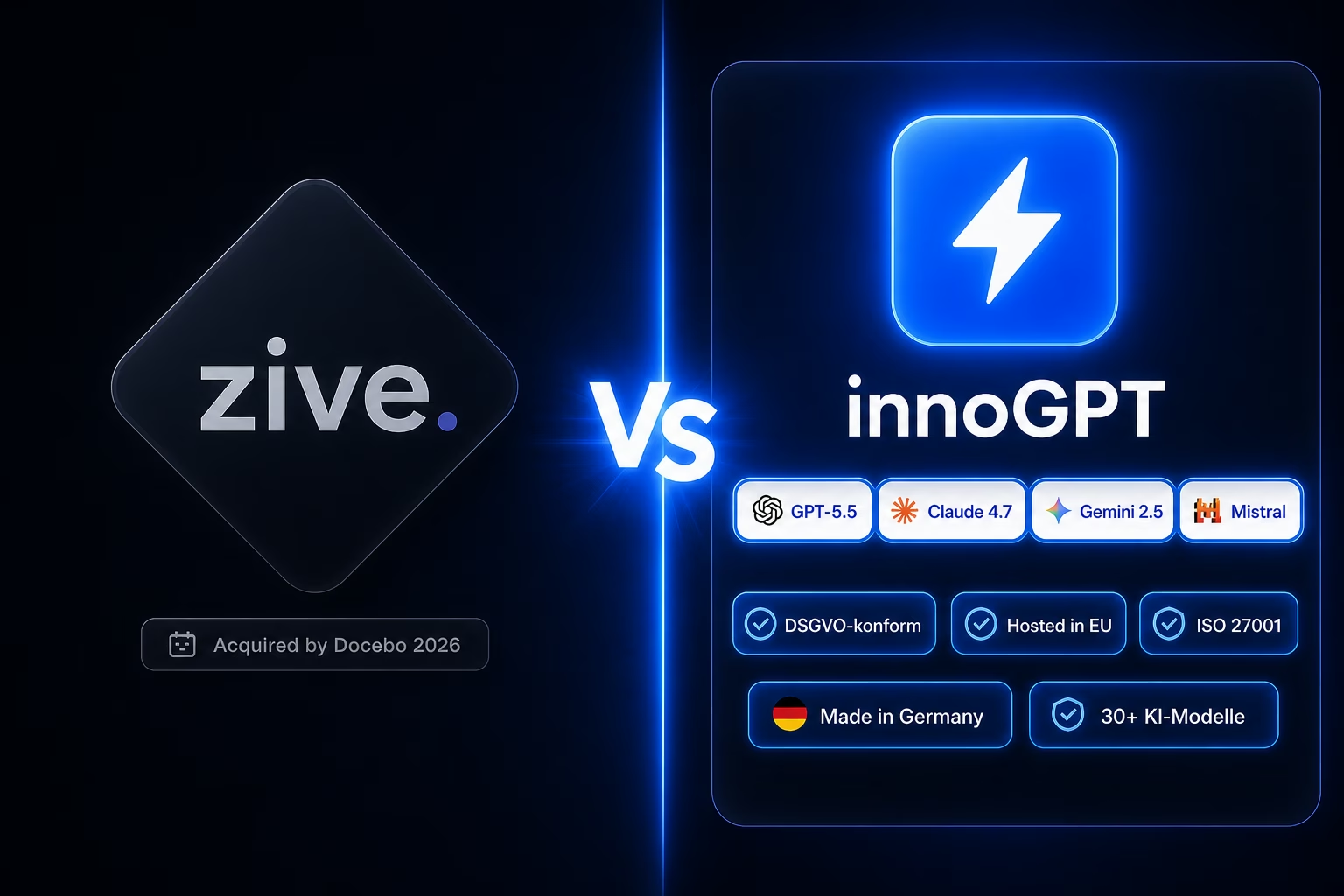
Zive alternative: innoGPT — workplace AI from Germany
Chat, knowledge base, search and tasks in one platform — bootstrapped, EU-hosted, ISO 27001-aligned.
ChatGPT Email Write: Effizient 2026 nutzen
Nutzen Sie ChatGPT, um 2026 effizient E-Mails zu verfassen. Entdecken Sie Vorteile und Tipps für Ihr Unternehmen. Jetzt mehr erfahren!

AI Data Center 2026: EU-Hosting Vorteile
Erfahren Sie, wann sich EU-Hosting für AI Data Center lohnt. Entdecken Sie Vorteile und Best Practices. Jetzt mehr erfahren!