On this page
TLDR: You can have a PDF translated with AI. Before using it, check technical terms, figures and the layout against the original. For confidential documents, clarify where and under what conditions the data is processed before uploading.
A translated PDF may read smoothly and still contain an error with consequences. If a contract says “30 days” instead of “60 days”, even the most polished wording will not help.
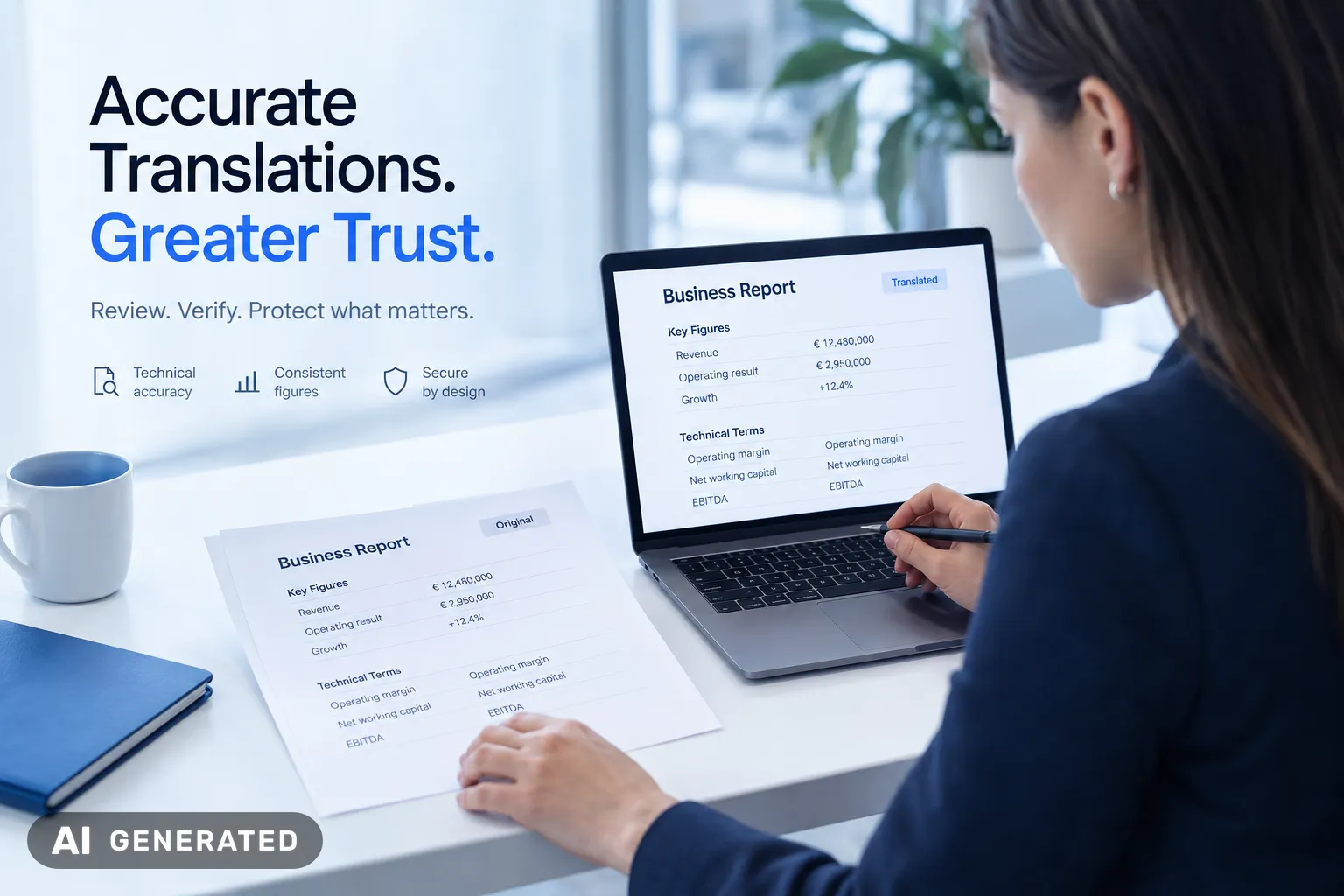
Anyone who wants to translate a PDF with AI needs more than just the right target language. What matters is whether the AI captures the text in the file correctly. With a scan, text recognition must first distinguish between a zero and a capital O.
You can have a public PDF translated by AI and initially use the result as a draft. Different standards apply to a quotation containing customer data. Clarify data protection and approval before sharing the file.
I believe companies need a fixed process for this. Otherwise, no one checks the critical section in the end, and the error goes straight into the document.
- Define who reviews the translation.
- Specify which terms must remain consistent.
innoGPT supports companies in using AI and integrating company knowledge. The team also assists with implementation and training.
TL;DR
- Translating PDFs with AI requires text recognition in advance, especially for scans, to avoid errors in figures and technical terms.
- The translation process involves six steps, from checking the file to approval, including reviewing content and layout.
- Confidential documents may only be uploaded after the data protection conditions have been clarified.
- An expert review of the translation is necessary to avoid legal and content-related errors.
The secure process for AI PDF translations
A PDF translation is created in six steps, from checking the file to approval. This helps you find errors before the document is shared.
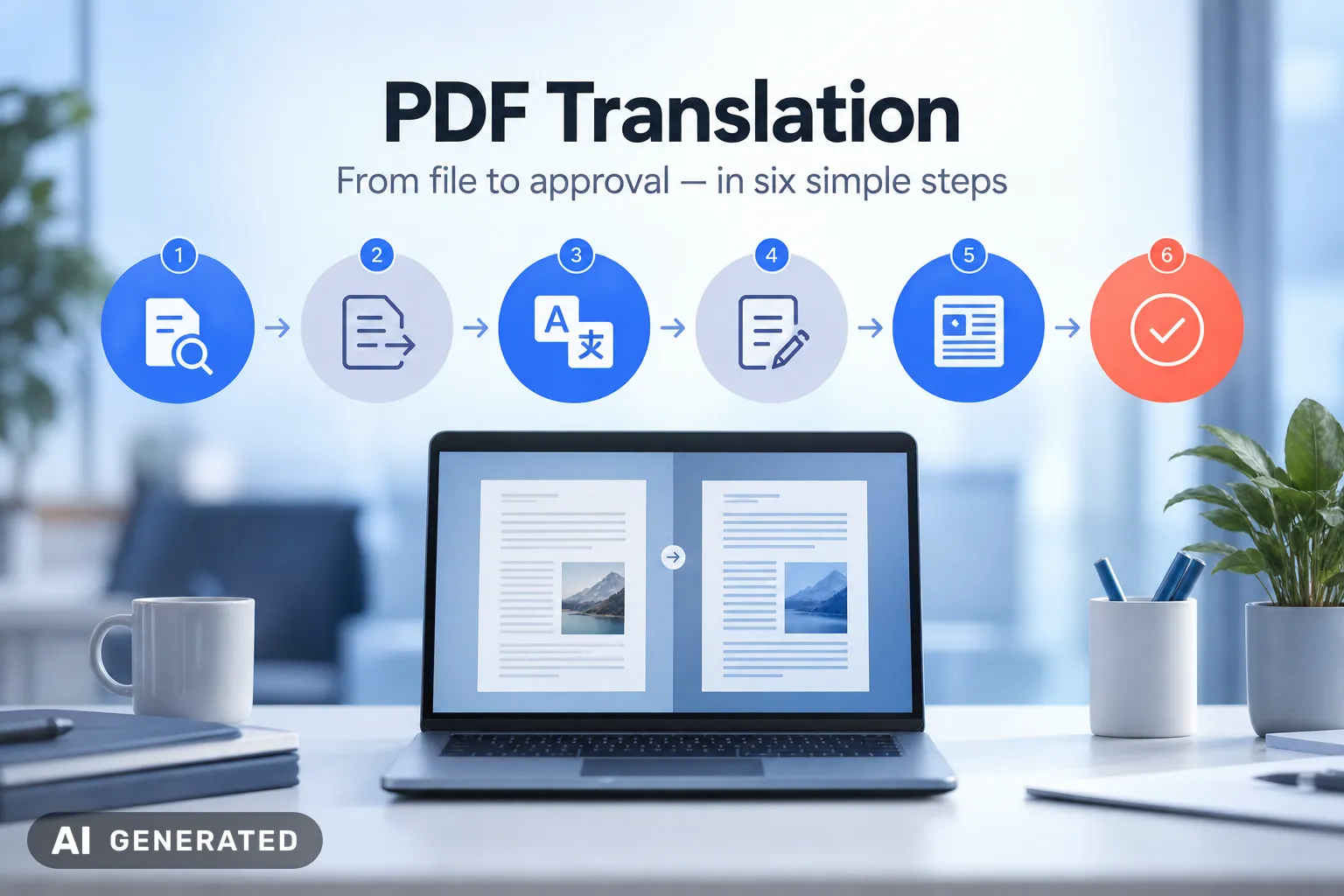
- Check the file: Open the PDF and test whether text can be selected and copied.
- Extract text: For a scan, use text recognition and compare the result with the original.
- Translate: Specify the source language, target language and relevant technical terms.
- Review content: Compare figures, names and statements with the original.
- Check the layout: Look for cut-off text, shifted tables and missing footnotes.
- Approve: Have the reviewed version approved by the responsible person for its intended purpose.
Do you want to have a PDF translated by AI? State the task clearly: “Translate the complete text into German and keep product names unchanged.”
A summary is no substitute for a complete translation.
With a price list, check whether each amount is still assigned to the correct product. Correct individual values are of little help if the table has shifted during export.
If text is missing from the output, address the extraction first. Repeating the translation several times will not solve this problem.
For confidential files , pre-approved data processing remains a prerequisite.
Preparing PDFs: scans, OCR and layout matter
A cleanly exported PDF usually provides the AI with a better text base than a skewed scan. Before translating, also check graphics containing text and multi-column pages.
A digitally created PDF often already contains text. A scan, on the other hand, consists of page images and requires text recognition, also known as OCR. Some documents combine both: the contract text is digital, while an attachment added later is only available as an image.
These steps will help you prepare the document:
- Use the original file, such as the Word document, if it is available and approved for translation.
- Straighten skewed or rotated scanned pages and check whether all page margins are visible.
- Select the document’s source language for OCR so that special characters are recognised more accurately.
- For multi-column pages, check whether the extracted text is in the correct order.
An existing text layer does not guarantee good quality. In older scans, it may be based on faulty text recognition. Therefore, check individual passages even if the PDF is searchable.
Check the extraction first, then use AI to translate PDFs.
I believe this sequence prevents errors. A benchmark from November 2026 shows the difference: one tested parser returned no text for a scanned page.
Reviewing translation quality in business documents
An AI translation is only usable when its meaning matches the original. Smooth wording is not enough for contracts, quotations or HR documents.
For business documents, readability is not what matters, but whether rights, obligations and figures remain unchanged.
If you want to have a PDF translated by AI, place the original and translation side by side. Pay particular attention to passages where a single word changes rights or obligations:
- Negations: Check whether a “not” is retained in the translation.
- Obligations: Verify that binding commitments are still worded as binding.
- Technical terms: Compare recurring terms with the approved company glossary.
- Figures and units: Compare amounts, decimal places, percentages and measurements directly with the original.
- Completeness: Check whether restrictions and references to attachments have been retained.
An example: “Payment is not due before acceptance” must not become “Payment is due before acceptance.” The sentence still reads smoothly, but it changes the payment date.
If there is no glossary, create a short list of terms before reviewing. In a quotation, “acceptance” must not appear elsewhere as “delivery” if the two terms refer to different processes.
Document corrections and use them for the next translation. This way, you will not repeat the same error with every new document.
For legally relevant documents a language check alone is not enough. Have the translation reviewed by an expert who understands both languages and the contractual context.
Back translation helps identify noticeable discrepancies. However, it does not replace this comparison.
Translate PDFs for free with AI: Test without confidential data
A free AI service is suitable for an initial translation test using public documents. Customer lists, personnel files and unpublished offers should not be included in this test.
Do you want to translate and summarise a PDF with AI? First, test both tasks using a publicly available product manual.
First request the full translation, then a summary. This lets you see whether the service clearly separates the two tasks.
When choosing a free service, check the following points:
- File limit: How large can the PDF be, and how many files can you translate for free?
- Output: Will you receive a translated PDF or only the translated text?
- Costs: Will charges apply after the test, or does free use end automatically?
- Processing: What do the terms of use say about storing and further using the uploaded file?
A summary is no substitute for a full translation.
If you need a manual entirely in German, check the safety instructions and individual steps. No section must be missing, especially in these areas.
A free service is often enough for a one-off test. For recurring tasks in a company, clear rules are more sensible than individual uploads.
innoGPT supports companies with AI implementation and integrates company knowledge.
Data protection and the GDPR when translating PDFs with AI
You should only translate confidential PDFs with an approved AI service. The storage location alone is not enough for a data protection assessment.
A personnel file, for example, contains personal data. Before having such a PDF translated with AI, clarify the following points with your data protection team:
- Legal basis: Check the basis on which your company processes the data for translation.
- Data processing agreement: Check whether a contract under Article 28 GDPR is required with the provider.
- Processing locations: Clarify where the provider and its subprocessors process the file.
- Third-country transfers: For transfers outside the European Economic Area, check the requirements under Chapter V GDPR.
- Data use: Ask for confirmation of whether files or inputs are used for model training.
- Deletion: Clarify when the original, translation and any logs are deleted.
A server in the EU does not automatically mean that all services involved operate exclusively there. What matters are the actual data flows and the agreed safeguards.
For health data, Article 9 GDPR imposes additional requirements. Do not remove such information only from the visible text. Also check metadata and other areas of the file.
My view: approval first, then upload.
If your company uses innoGPT, clarify the terms for the selected AI model and the specific translation process in advance.
Translate AI PDFs and edit them afterwards
A translated PDF file is not automatically fully formatted. The key question is whether you edit the text directly or need a source file.
Where possible, edit the translation in the source file rather than in the finished PDF.
Choose the right output format
If you have the original Word file , it is best to transfer the translation there. You can edit paragraphs and tables there before exporting the document as a PDF again.
If you only have the PDF, first check whether your approved tool can edit text directly. Alternatively, convert the file into an editable format.
Then check the formatting. Spacing and page breaks can shift during conversion.
Adjust the layout after translation
In a product brochure, a translated heading may no longer fit in its text box. Enlarge the box or adjust the line break instead of arbitrarily shortening the statement.
Also check text in graphics. A label that is part of an image cannot be edited like normal PDF text.
For this, you need the graphic file or must replace the label separately.
- Open the file again after exporting the PDF and check the page breaks.
- Check links and truncated text.
- Keep the original separately.
- For digitally signed documents, check the signature again after making changes.
Common errors in AI PDF translations
When translating PDFs with AI, the most dangerous errors are often those that read smoothly. Completeness and correct assignment can only be identified by comparing with the original.
Table values shift
A price listed under the wrong quantity tier changes a quote, even if each individual number is correct. Therefore, check related cells row by row, including the column headings.
A PDF parser benchmark from November 2026 illustrates the problem: Docling and PyMuPDF4LLM each captured 20 out of 22 rows completely correctly in a dense table. Correctly recognised rows alone are not enough for approval.
A table is only translated correctly if the values, rows and column headings still match up.
Footnotes and limitations are missing
A footnote can qualify a statement, for example through exceptions to a product warranty. If its reference is missing, the translated promise may appear broader than in the original.
- Always compare footnote markers and the corresponding statements together.
- Have unclear passages reviewed by the responsible expert instead of adding to them yourself.
Summary instead of full translation
A summary and a full translation produce different results. A summary may omit details, while a full translation should include terms and exceptions.
That is why I consider a clear brief essential. First, request a complete translation. Then check whether any paragraphs are missing or additional statements have been inserted.
Standardising AI translations across the company
For recurring PDF translations, your team needs fixed guidelines and clear responsibilities. Sales staff process quotes according to the same rules and do not make a new decision for every file.
I think the question “Which AI can read PDFs?” is too narrow for businesses. What matters is how your team specifies terminology, documents changes and approves results.
Define a glossary and work instructions
Create a glossary containing approved technical terms, product names and their translations. Also record which names must remain unchanged.
For quotes, for example, your team distinguishes between “delivery time” and “delivery deadline”. The responsible specialist defines the appropriate translation for both terms. This ensures that a different version does not appear in every quote.
Shared work instructions cover the following points:
- Define the responsible specialist and approved AI platform for each document type.
- Include the target language, glossary and requirement for a complete translation in the brief.
- Document which version of the original and glossary was used for the translation.
- Specify who reviews and approves the result for use.
innoGPT helps teams integrate company knowledge and roll out AI solutions. Clarify in advance how the glossary will be provided and who will update it. Otherwise, an outdated term in the stored knowledge will spread throughout the entire process.
For contracts or HR documents, a shared template does not replace expert review. It provides the responsible person with a reliable basis for assessment.
FAQ: Translating PDFs with AI
Conclusion
For public documents, a free AI test is often sufficient. For confidential business documents, you need an approved service and clear review rules before uploading.
I think the best decision does not start with the fastest tool. What matters is what you use the translation for. A public text for internal understanding requires less effort than a quote for customers.
For quotes, contracts and HR documents, good readability alone is not enough. Compare critical information with the original and approved terms with the glossary. A qualified person approves the document before it is shared.
A fluent translation is not necessarily a reviewed translation.
For recurring tasks, having clear responsibilities helps. The team then knows who maintains terminology and who approves the output. This prevents an unchecked draft from accidentally being sent to customers or authorities.
When introducing such workflows, innoGPT supports companies with training and personalised guidance. Company knowledge can be integrated into the AI platform. Clarify in advance with your data protection team which documents you are permitted to process there.
My advice: Start with a public document and compare the translation with the original. Then define which additional requirements your team needs for confidential files.
Sources
About the author

Tim Geier
Tim & AIHe is a trained media manager working hands-on with AI: Tim helps companies roll out AI securely and GDPR-compliantly, turning complex AI topics into clear, actionable steps.
This article was written by Tim together with AI.
Weekly AI news in your inbox
New models, practical tips & expert insights — free for everyone.
Related articles
Data Protection vs Information Security AI Guide | innoGPT
Data protection vs information security AI: learn the key differences and how both support secure AI projects. Read the guide and apply them.
ChatGPT and Data Protection: Why European Companies Need a GDPR-Compliant Alternative
Learn everything about ChatGPT data protection and why GDPR-compliant AI solutions are essential for your company.

AI Translation for Business: GDPR Guide | InnoGPT
AI Translation for Business can risk data protection when sensitive content enters public tools. Learn why GDPR-compliant tools are safer. Learn more.